

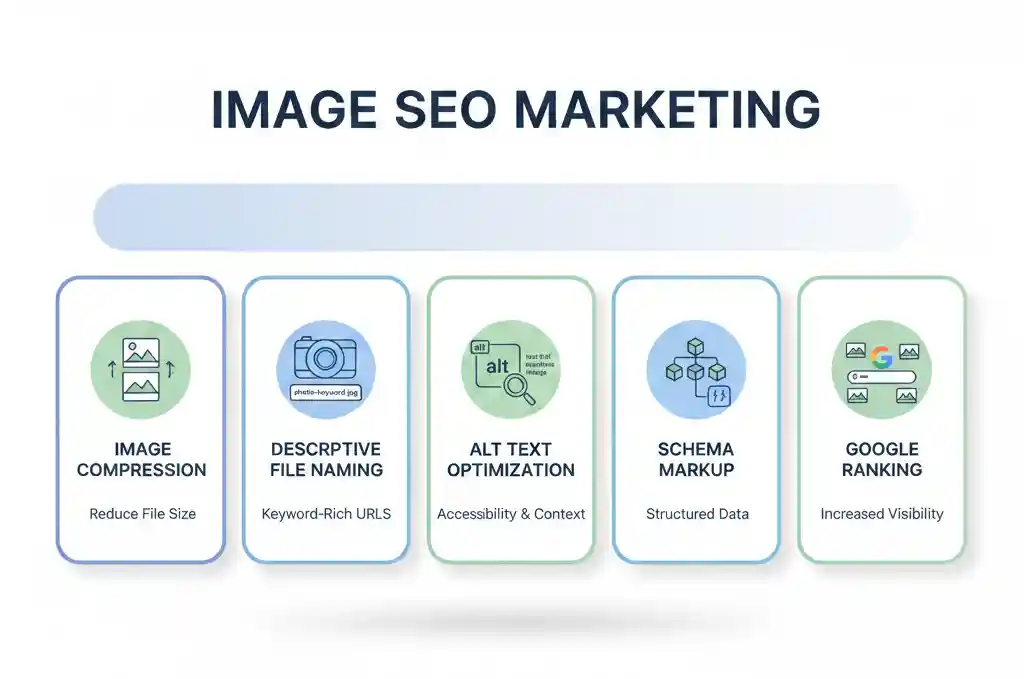
Visual content now plays a major role in search visibility. When done correctly, Image SEO Marketing can drive consistent organic traffic from Google Images while supporting overall page rankings. This guide explains how to optimize images strategically so they rank, load fast, and convert users.
📸 What Is Image SEO Marketing?
Image SEO Marketing is the process of optimizing visual assets so search engines understand, index, and rank them properly. Images that follow SEO standards appear in Google Images, improve accessibility, and enhance user experience.
Moreover, optimized images support topical relevance. As a result, your entire page gains stronger SEO signals.
🚀 Why Image SEO Marketing Matters
Image search traffic is often overlooked. However, it brings highly intent-driven users. When images are optimized correctly:
- Pages load faster
- Engagement rates increase
- Accessibility improves
- Rankings become more stable
Because Google prioritizes user experience, image optimization directly affects SEO performance.
🧩 Core Image SEO Marketing Strategies
1. Optimize Image File Names
Avoid generic file names like IMG_1234.jpg. Instead, use descriptive, keyword-focused names.
Example:image-seo-marketing-google-images.jpg
This helps search engines understand the image context immediately.
2. Write Descriptive ALT Text
ALT text improves accessibility and provides search engines with meaning.
Best Practice:
Describe the image naturally while including the focus key phrase only when relevant.
Example:
“Image SEO Marketing workflow showing compression, alt text, and structured data optimization.”
3. Compress Images Without Losing Quality
Large images slow pages down. Therefore, compression is essential.
Recommended Tools:
- TinyPNG – https://tinypng.com
- Squoosh – https://squoosh.app
Faster pages lead to better rankings and lower bounce rates.
4. Choose the Right Image Format
Each format serves a purpose:
- WebP: Best for performance and quality
- JPEG: Ideal for photographs
- PNG: Best for graphics with transparency
Google prefers modern formats because they enhance loading speed.
5. Use Structured Data for Images
Structured data helps Google associate images with your content.
Add ImageObject schema to strengthen relevance and improve visibility in rich results.
📘 Reference: Google Image SEO Guidelines
https://developers.google.com/search/docs/appearance/google-images
🔗 Internal and External Linking for Image SEO Marketing
Internal links strengthen topical authority. Make sure to connect this post with related SEO resources.
Internal Link:
Creative Idea Labs – SEO Services
https://creativeidealabs.com/
External Supporting Resources:
- Google Image Best Practices – https://developers.google.com/search/docs/appearance/google-images
- PageSpeed Insights – https://pagespeed.web.dev/
These sources reinforce trust and credibility.
🧠 Best Practices to Maintain SEO Readability
- Keep sentences concise
- Use transition words naturally
- Avoid repetitive sentence starters
- Limit passive voice to under 10%
- Break long paragraphs into digestible sections
As a result, both users and search engines benefit.


